Pre-registration in Outlook, check-in at the door, the host notified before the visitor sits down, and an evacuation list that is correct at the moment you need it.
The whole visit runs on the same record — booked once, then used at every step. The host invites the visitor from their Outlook calendar as usual, and Reonoma creates the visit. On arrival the visitor scans a QR code or checks in at the reception kiosk. The docking station writes the visitor's name to an e-paper badge and sends the same name to the evacuation list. The host gets an email immediately, and an SMS on Pro and above. The badge is handed back at check-out.
The host invites the visitor from their Outlook calendar as usual. Reonoma picks up the invitation and creates the visit — nobody has to log into a second system.
The visitor scans a QR code on their phone or checks in at the reception kiosk. Pre-registered visitors are recognised immediately; walk-ins are registered in the same flow.
The docking station writes the visitor's name to an e-paper badge and releases it. The badge holds its image without power and is handed back for reuse on the way out.
Check-out closes the visit. Until it does, the visitor is on the evacuation list — which is the point of the whole thing.
Everything below is in the product today. Availability by plan is on the pricing page.
Visits are created from the calendar invitation the host was already sending. No parallel booking system, no double entry.
A tablet at reception handles arrivals when nobody is at the desk, with a dual QR layout so two visitors can check in at once.
The host is told by email the moment their visitor arrives, and by SMS on Pro and above.
A live list of everyone currently checked in, available on a phone at the assembly point. This is the reason most receptions replace the paper book.
Visitor volumes, peak hours and per-host patterns, so staffing the desk becomes a decision rather than a guess.
Import your employee list from a spreadsheet on day one, and export visitor logs whenever someone asks for them.
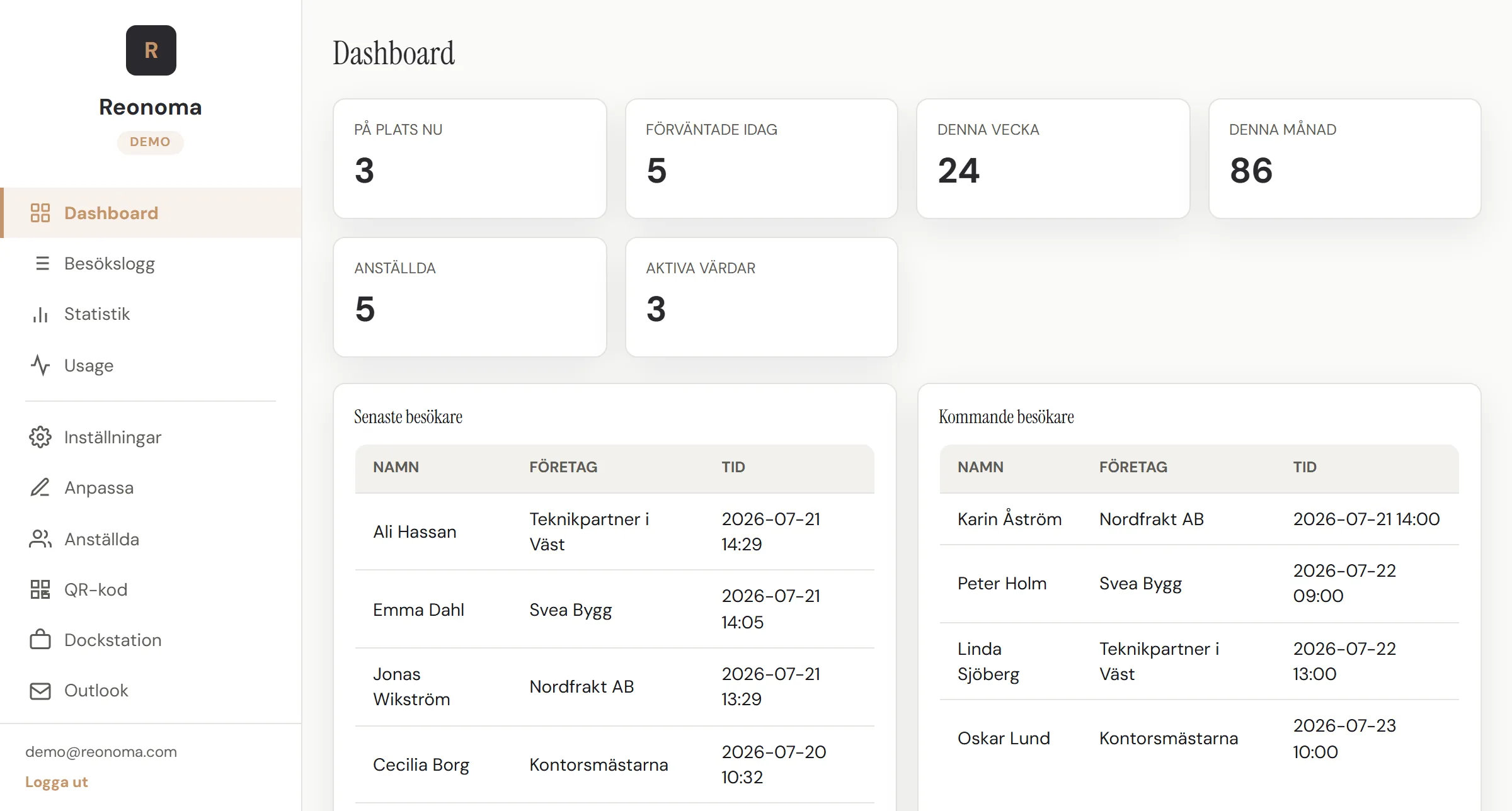
This is the actual Reonoma admin panel — click in and explore how you manage visitors, badges and reports from one place.
The visitor's view — check in and watch it appear in the panel
Try the interactive demo on a computer
Book a DemoApplication and database run on Supabase GmbH in Frankfurt and Hetzner Online GmbH in Germany — inside the EU, with no third-country transfer. Visitor records are deleted automatically eight days after check-out. Data is encrypted with TLS 1.2 or higher in transit, access is role-based, passwords are bcrypt-hashed, and backups are taken daily and kept for fourteen days. The same on every plan — GDPR compliance is not something we charge extra for.
Application and database run on Supabase GmbH in Frankfurt and Hetzner in Germany. There is no third-country transfer to disclose, because there isn't one.
Visitor records are erased 8 days after check-out, without anyone having to remember to do it.
TLS 1.2 or higher in transit, bcrypt-hashed credentials, role-based access control and parametrized SQL throughout.
Daily backups with 14-day retention, and an annual internal security review of access, dependencies and configuration.
Tell us how visitors reach you today and we'll show you what changes.